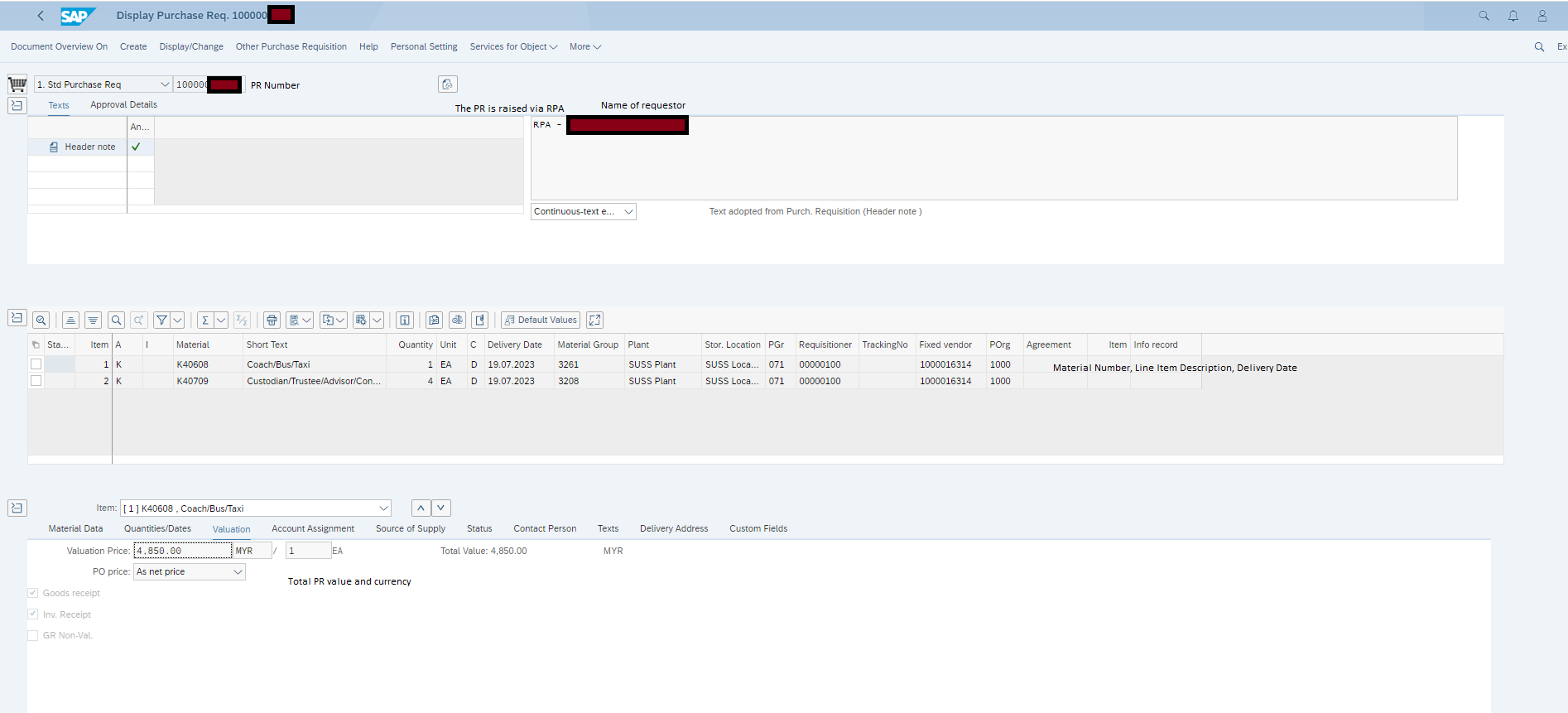
After Making purchase requisitions, user can view details of the purchase requisition on SAP.
Access
The SAP user can access this web application through the following steps:
Manage Purchase Orders > (Enter Purchase Order Number) > (Click on “Go”) > Select appropriate Purchase Order Item > Under “Item Detail”, click on “Delivery Schedule” tab > double click on Purchase Requisition number`
Views
Valuation
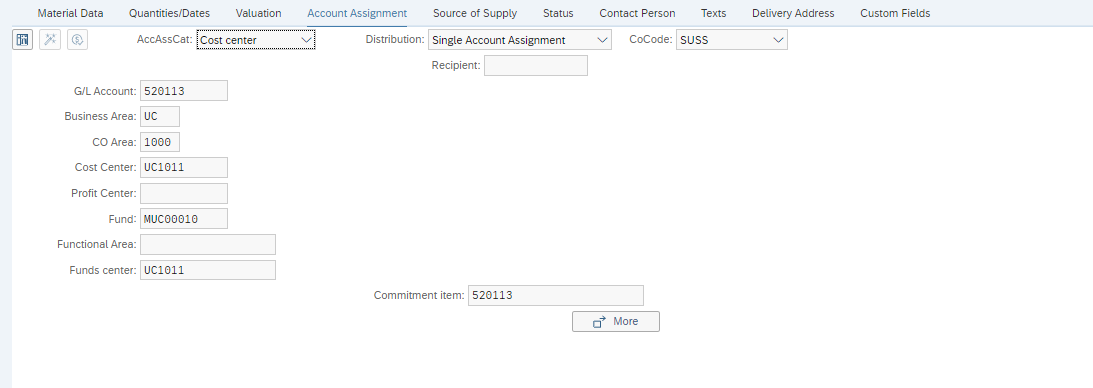
Account Assignment
In a glance, allows the user to view PR charging information:
- GL Account (COA)
- Cost Center
- Fund Code